
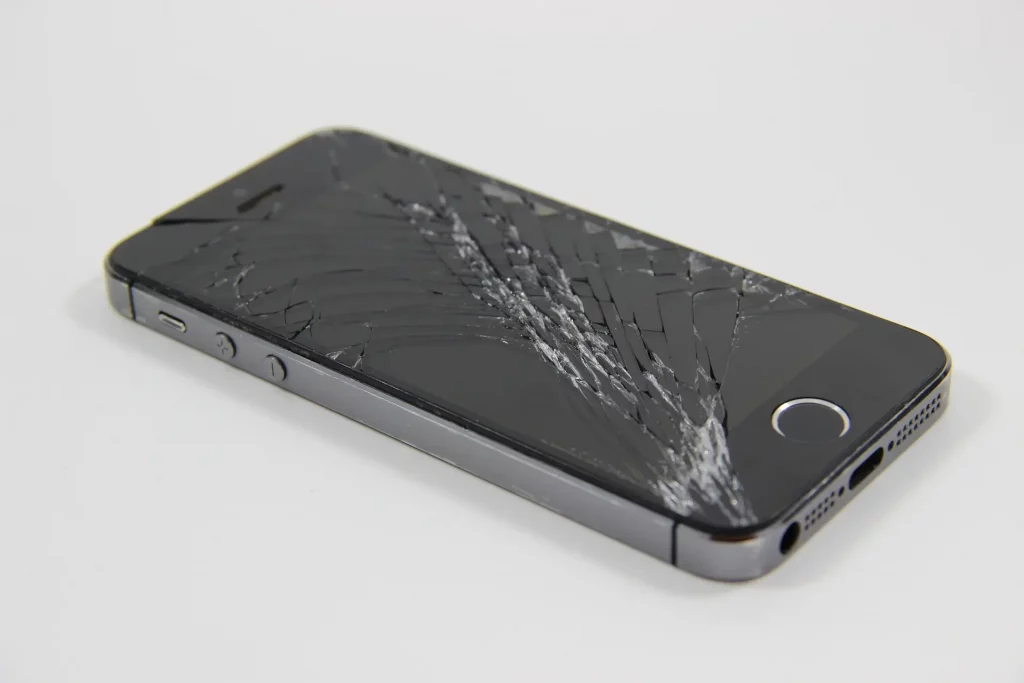
You just dropped your phone. You pick it up, turn it over, and there it is. Cracked. Now what?
This guide covers exactly what to do next. We will walk you through the immediate steps to protect your phone, the temporary fixes that actually work, the ones that do not, and how to decide between a professional repair, a DIY fix, or just replacing your phone altogether.
The First 60 Seconds After You Crack Your Screen
Before you do anything else, do these three things.
- Check if the touchscreen still works: Swipe around. Open an app. Type something. If the screen responds normally, you are in a much better position. A cracked screen that still works is a simple repair.
- Back up your phone immediately: If the screen works now, it might not tomorrow. Cracks can spread, moisture can get in, and a working screen can go black overnight. Back up everything to iCloud, Google Drive, or your computer while you still can.
- Stop using it without protection: Tiny glass shards can cut your fingers, and dirt and moisture will get into the cracks. Apply a screen protector over the crack straight away if you have one. If you do not, a piece of clear packing tape works as a short term barrier. This is not a fix. It is damage control.
Assess the Damage
Not all cracks are equal. The type of damage you have will decide what your best option is.
- Small crack or chip in one corner The screen works fine, touchscreen responds, display is clear. This is cosmetic damage. You can live with it if you choose, or get it repaired whenever it suits you. There is no urgency, but the crack may spread over time.
- Spider web cracks across the screen The glass is badly cracked but the display underneath still works. Touch may be slightly less responsive in some areas. This needs repairing. The longer you leave it, the worse it gets.
- Screen is black, flickering, or has coloured lines The display itself is damaged, not just the glass. The phone may still vibrate or make sounds. This needs professional repair as soon as possible.
- Screen does not respond to touch at all The digitiser (the layer that detects your finger) is damaged. You will need a full screen replacement. A repair shop can fix this in under an hour in most cases.
Your Four Options
Here is an honest breakdown of every option you have, with the pros and cons of each.
Option 1: Professional Repair (Recommended for Most People)
Take your phone to a repair shop and have the screen replaced. This is the fastest, safest, and most reliable option for the majority of people.
- What happens: A technician removes the broken screen, fits a new one, tests the phone, and hands it back to you. The whole thing usually takes 30 minutes to an hour.
- What it costs: £29 to £300+ depending on your phone model and the quality of the replacement screen. See our full price guides for phone screen repair costs and iPhone screen repair costs.
- Pros: Done properly with the right tools. Quick turnaround, usually under an hour. You get a warranty on the repair. No risk of causing more damage.
- Cons: It costs money. You need to visit a shop or use a postal repair service.
- Best for: Anyone who wants the job done right without the risk. If your phone is less than 3 years old, this is almost always the smartest choice.
Option 2: DIY Screen Replacement
Buy a replacement screen kit online and do it yourself.
- What happens: You order a screen kit (usually £15 to £60 depending on the model), watch a YouTube tutorial, and follow the steps to remove the old screen and fit the new one.
- What it costs: £15 to £60 for the kit. But if you damage something during the repair, you could end up paying £150 to £400+ to fix what went wrong.
- Pros: Cheapest option if everything goes well. Satisfying if you enjoy working with electronics.
- Cons: One mistake can kill your phone completely. Ribbon cables are extremely delicate. One slip and you can damage the camera, battery connector, or logic board. You will almost certainly void your manufacturer warranty. Your phone’s water resistance rating will be gone. The screens in cheap kits are often low quality.
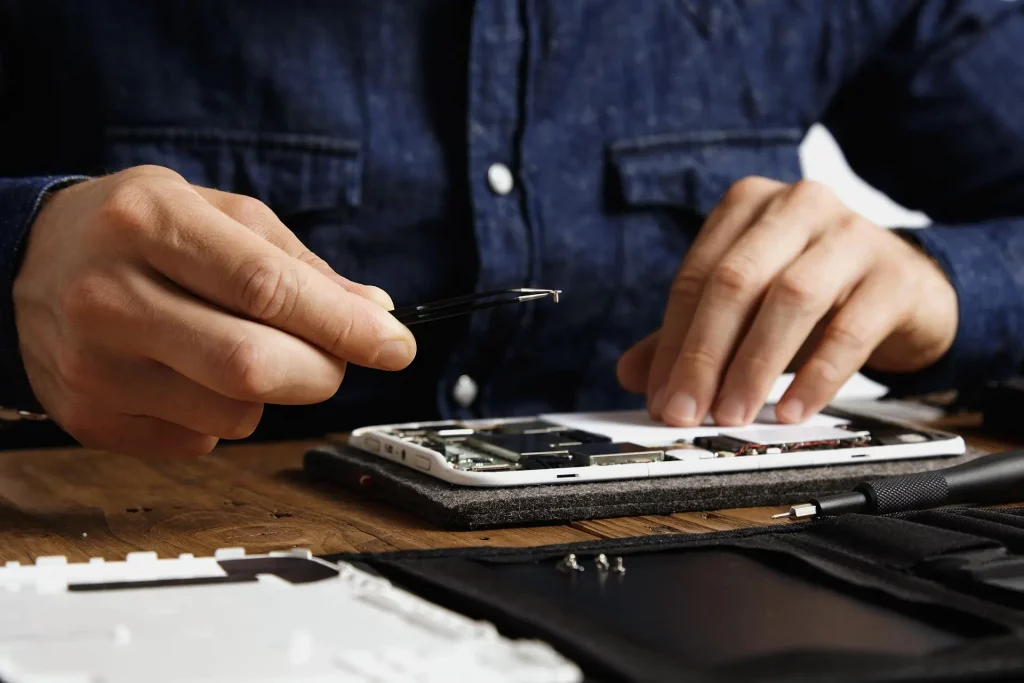
Best for: People with genuine experience working on electronics. Not recommended for first timers. The money you save is not worth the risk if you have never done it before.
Option 3: Temporary Fix (Buy Yourself Time)
If you cannot get to a repair shop straight away, these temporary fixes will protect your phone and keep it usable until you can.
- Screen protector over the crack Apply a tempered glass screen protector over the cracked screen. This holds the glass together, stops shards from falling out, and makes the phone usable without cutting your fingers. This is the best temporary fix.
- Clear packing tape If you do not have a screen protector, clear packing tape does a similar job. It looks rough but it works as a barrier. Replace it every few days as it wears.
- Avoid these “fixes” you will see online Toothpaste, baking soda, super glue, and UV resin are all over the internet as “DIY screen crack fixes.” None of them work. Toothpaste and baking soda do nothing to glass. Super glue can seep into your screen and ruin the display. UV resin kits can work on very small chips in some cases, but the results are inconsistent and often make the crack more visible, not less.
Best for: Buying time until you can get a proper repair. Not a long term solution.
Option 4: Replace Your Phone
Sometimes repairing is not worth it.
- When to replace instead of repair: Your phone is more than 4 years old and already slowing down. The repair cost is more than half the current value of your phone. There is more damage than just the screen (water damage, bent frame, dead motherboard). You were already planning to upgrade.
- When to repair instead of replace: Your phone is less than 3 years old. The repair cost is less than a third of what you paid for it. Everything else about the phone works fine. You have not finished paying off your contract.
In most cases, repairing wins. A £100 screen repair on a phone you paid £800 for is far better value than buying a new one.
How to Choose a Good Repair Shop
Not all repair shops are equal. Here is what to look for.
- Ask what type of screen they use. A good shop will offer you a choice of screen quality (standard, premium, or original) and explain the difference. If they cannot tell you what parts they use, go somewhere else.
- Ask about the warranty. Any reputable shop will offer a warranty on the repair. If they do not, that is a red flag. At Phone Clinic, our warranties range from 3 months to lifetime depending on the screen tier.
- Check their Google reviews. Real customer reviews tell you more than any website can. Look for reviews that mention the specific repair they had done and whether it held up over time.
- Ask about the diagnostic process. If your screen is completely dead, the issue might not be the screen at all. A good shop will diagnose the fault before quoting you, not just assume it needs a screen.
- Check the turnaround time. Most phone screen repairs should take 30 minutes to an hour. If a shop tells you it will take days for a simple screen replacement, they are likely sending it out rather than doing it in house.
Will a Screen Repair Affect My Data?
No. A screen replacement does not touch your photos, messages, apps, or settings. Everything stays on your phone.
We always recommend backing up before a repair just as a precaution, but in a standard screen replacement your data is not at risk.
How to Prevent Future Screen Cracks
You have paid to fix it once. Here is how to avoid paying again.
- Use a case with raised edges. The lip around the screen is what saves your phone in a face down drop. Cases without raised edges offer almost no screen protection.
- Apply a tempered glass screen protector. A good screen protector absorbs the impact instead of your actual screen. They cost a few pounds and can save you hundreds.
- Avoid carrying your phone in your back pocket. Sitting on your phone is one of the most common ways screens crack. Front pocket, inside jacket pocket, or bag.
- Be careful around hard surfaces. Tile floors, concrete, and stone countertops are screen killers. If you are using your phone over a hard surface, hold it with both hands or put it down.
Frequently Asked Questions
Can you actually fix a cracked phone screen?
Yes. A cracked screen is the most common phone repair in the UK. A technician removes the broken screen, fits a new one, and the phone looks and works like normal again. Most repairs take under an hour.
Can I fix a cracked phone screen myself?
You can try, but we would not recommend it unless you have experience with electronics repair. One mistake can damage the camera, battery, or logic board, turning a £80 repair into a £300+ problem.
How much does it cost to fix a cracked phone screen?
Between £29 and £300+ depending on the phone model and screen quality. Older phones cost less. Newer flagships cost more. See our phone screen repair cost guide for full pricing.
Is it safe to use a phone with a cracked screen?
It works, but it is not ideal. Cracked glass can cut your fingers, moisture can damage internal components, and the touchscreen may become less responsive over time. Get it repaired when you can.
Will toothpaste fix a cracked phone screen?
No. This is a myth. Toothpaste cannot repair glass. It may very slightly polish a surface scratch on some materials, but it does nothing for a cracked phone screen.
How long can you leave a cracked phone screen before repairing it?
There is no set time limit, but the longer you leave it, the worse it gets. Cracks spread, moisture gets in, and a small crack can turn into a dead screen over time. The sooner you repair it, the cheaper it usually is.
Don’t forget about safety goggles! Protecting your eyes from any accidental glass shards is crucial while working on such a delicate task.