
School is around the corner. Whether you are heading back yourself or sorting out a phone for your child, now is the time to deal with all those little problems you have been putting off since summer started.
A cracked screen you have been living with for months. A battery that dies by lunchtime. Storage so full the phone cannot even take a photo. These are all things that take less than an hour to sort out, and doing it now saves the scramble later when everyone else has the same idea.
This checklist covers everything worth checking before term starts. Some of it you can do yourself in ten minutes. The rest, a repair shop can handle the same day.
The Screen
Start with the obvious one. If the screen has a crack, a chip, or any kind of damage, get it fixed now.
A small crack might seem like something you can live with, but cracks spread. A hairline fracture across the corner in August can become a shattered screen by October. Temperature changes, a bump in a bag, or just everyday use can turn a cosmetic crack into a phone that stops responding to touch.
Screen repairs are one of the fastest fixes we do. Most phones are done within the hour, and you walk out with a screen that looks and works like new. If you want to know what it costs before you commit, our guide to phone screen repair costs in the UK breaks it down by model.
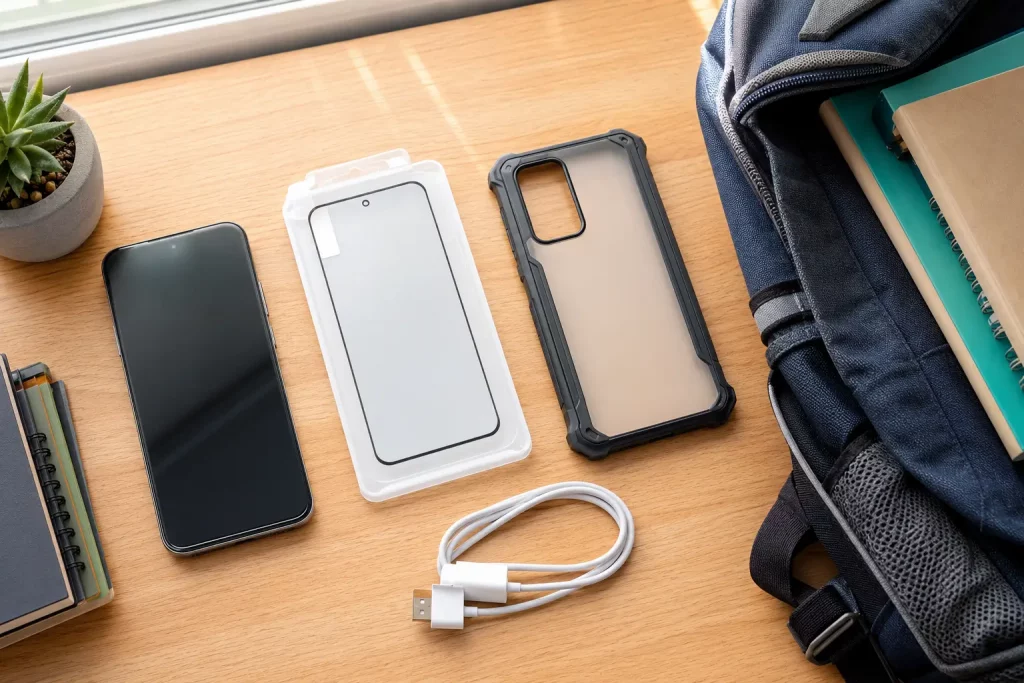
Once the screen is sorted, put a screen protector on it. A decent tempered glass protector costs a few pounds and absorbs the next impact instead of the screen itself. It is the cheapest insurance you can get for a phone.
The Battery
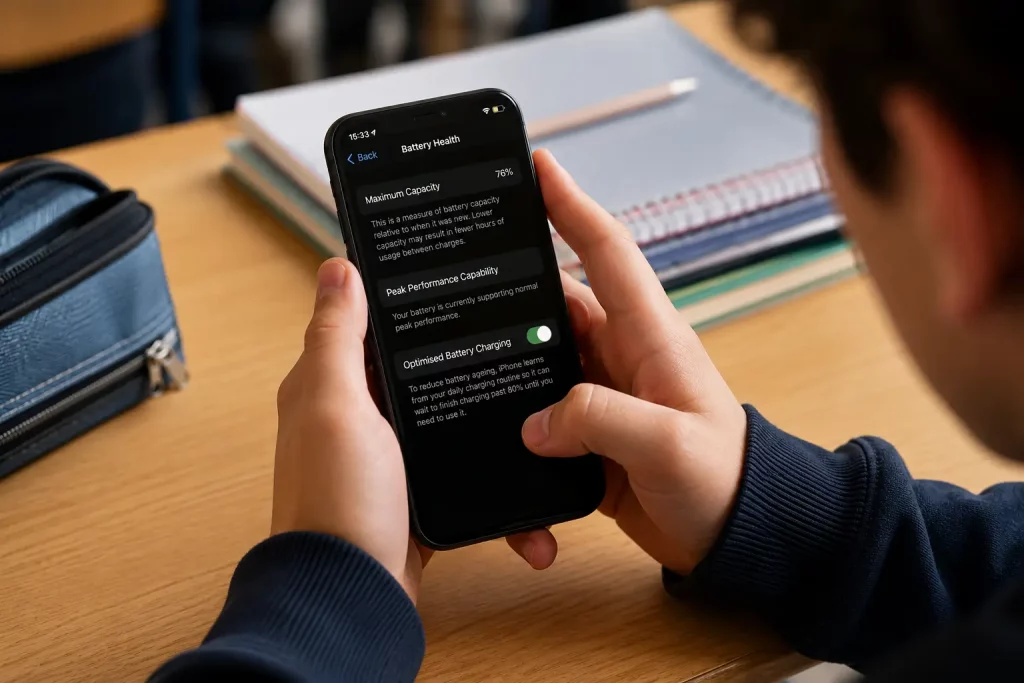
If the phone barely makes it through a school day without needing a charge, the battery is the first thing to check. A phone that was bought two or three years ago will have lost a noticeable amount of battery capacity by now. That is normal wear, but it does not mean you have to live with it.
Check the battery health in your phone’s settings. On an iPhone, go to Settings, then Battery, then Battery Health and Charging. If the maximum capacity is below 80%, Apple considers the battery significantly degraded. On Samsung phones, the Samsung Members app has a battery diagnostic that tells you the same thing.
A battery replacement is one of the most affordable repairs you can get. It takes under an hour, your data stays untouched, and the phone goes back to lasting a full day. If you are not sure whether the battery actually needs replacing or just needs better habits, our guide on the signs you need a new phone battery can help you decide.
Storage
Nothing is more frustrating than a phone that tells you storage is full when you are trying to download a textbook, save a document, or just take a photo.
Start by checking how much space you actually have. On an iPhone, go to Settings, then General, then iPhone Storage. On Android, go to Settings, then Storage. You will see a breakdown of what is taking up space.
The usual suspects are photos, videos, messaging apps, and cached data. WhatsApp alone can take up several gigabytes if you have never cleared its media. Old apps you downloaded once and forgot about are another easy win. Delete anything you have not opened in six months.
If you want to free up space without losing your photos, there are ways to do it. Moving photos to cloud storage, clearing cached files, and offloading unused apps can recover gigabytes without deleting anything important.
For students using their phone for schoolwork, keeping at least 5GB free is a good rule of thumb. That gives enough room for apps, downloads, and updates without the phone grinding to a halt.
Cases and Protection
A phone going into a school bag every day needs a proper case. Not every case is equal, and the slim, fashionable ones are often the worst at absorbing drops.
Look for a case with raised edges around the screen and camera. That lip is what stops the screen from hitting the ground when the phone lands face down. A case with corner reinforcement is even better, because corners take the brunt of most drops.
If the phone already has a cracked back glass or a chipped corner, getting it repaired before putting a case on means the case actually does its job. A case over a cracked back just hides the problem while moisture and dust work their way in through the gap.
Software Updates
Before term starts, make sure the phone is running the latest version of iOS or Android. Updates include security patches, bug fixes, and sometimes battery optimisation improvements.
Connect to Wi-Fi, plug the phone in, and check for updates. On an iPhone, go to Settings, then General, then Software Update. On Android, go to Settings, then System, then System Update.
If the phone is too old to receive the latest major update, it can still receive security patches for a while longer. But if it has stopped getting any updates entirely, it is worth thinking about whether the phone is still suitable for a student who will be using it for school apps, email, and browsing. An unpatched phone is a security risk, especially on school and public Wi-Fi networks.
Apps for School
Once the phone is physically sorted, spend a few minutes setting up the apps that will actually be useful during term.
Make sure the school’s communication app or portal is installed and logged in. Download Microsoft 365 or Google Workspace apps if the school uses them. Set up cloud storage so schoolwork is backed up automatically. If the student uses WhatsApp or a group chat for class coordination, make sure it is set up and working.
This is also a good time to check notification settings. A phone buzzing every 30 seconds during lessons is a problem. Most phones let you set up a focus mode or do not disturb schedule that silences notifications during school hours but lets calls from parents come through.
Parental Controls and Screen Time
For younger students, this is worth setting up before the phone goes to school.
Both iPhones and Android phones have built in parental controls. On an iPhone, Screen Time lets you set daily limits for apps, restrict certain content, and control when the phone can be used. On Android, Family Link does the same thing.
You do not need to lock the phone down completely. A few sensible limits, like restricting social media during school hours, limiting screen time on games, and filtering web content, make a big difference without turning the phone into something the child resents carrying.
If the phone is being handed down from a parent or older sibling, do a factory reset first and set it up fresh. This clears out old accounts, messages, and content that might not be appropriate for a younger user.
Network and Connectivity
Make sure the phone connects to Wi-Fi reliably. Schools, colleges, and universities all have Wi-Fi networks, and most students rely on them to avoid eating through mobile data.
Check that Wi-Fi is working properly. If the phone keeps dropping its connection or refuses to connect to certain networks, it could be a software issue or a hardware fault with the Wi-Fi antenna. A quick restart and network settings reset usually fixes software problems. If that does not help, a repair shop can check the hardware.
If the student is heading to university and will be on a different mobile network’s coverage area, check signal strength in that location. An unlocked phone gives you the freedom to switch to whichever network has the best coverage. Phone Clinic offers network unlocking if the phone is still tied to a specific carrier.
One Last Check
Before you hand the phone back or pack it in a bag, run through this quick list.
Is the screen in good condition with a protector on it? Is the battery lasting a full day? Is there enough free storage? Is the software up to date? Is there a decent case on it? Are the apps the student needs installed and working? Are parental controls set up if needed?
If you can tick all of those, the phone is ready. If any of them need sorting, now is the time. Most repairs take less than an hour, and you avoid the panic of dealing with a broken phone in the first week of term.
Need a Repair Before School Starts?
Phone Clinic has 14 stores across England and Scotland. Walk in for a same day screen repair, battery replacement, charging port fix, or anything else the phone needs. We also repair laptops and tablets if those need sorting too.
If there is not a store near you, we offer a mail in repair service. Send us the device, we fix it, and post it back.
Call us on 07492 244409 or find your nearest store to book an appointment.
FAQ Section
How long does a phone repair take before school starts?
Most phone repairs take under an hour. Screen replacements, battery swaps, and charging port fixes are all same day repairs at Phone Clinic. If you bring the phone in during the morning, it will be ready before the afternoon.
Is it worth repairing an old phone for a student?
In most cases, yes. A phone that is two or three years old with a new battery and a repaired screen will work perfectly well for school use. A battery replacement and screen repair together cost far less than buying a new phone and give the device another year or two of life.
How do I check my child’s phone battery health?
On an iPhone, go to Settings, Battery, then Battery Health and Charging. If maximum capacity is below 80%, the battery is due for a replacement. On Samsung phones, open the Samsung Members app and run the battery diagnostic. On Google Pixel, go to Settings, Battery, then Battery Health.
What is the best phone case for a student?
Look for a case with raised edges around the screen and camera, plus reinforced corners. Brands like OtterBox, Spigen, and Tech21 make cases designed to handle drops. Slim cases look good but offer less protection for a phone that spends all day in a school bag.
Should I set up parental controls on my child’s phone?
For younger students, yes. Both iPhone (Screen Time) and Android (Family Link) have built in tools to limit app usage, filter content, and control when the phone can be used. You do not need to restrict everything, but setting boundaries around social media and screen time during school hours is a good starting point.