
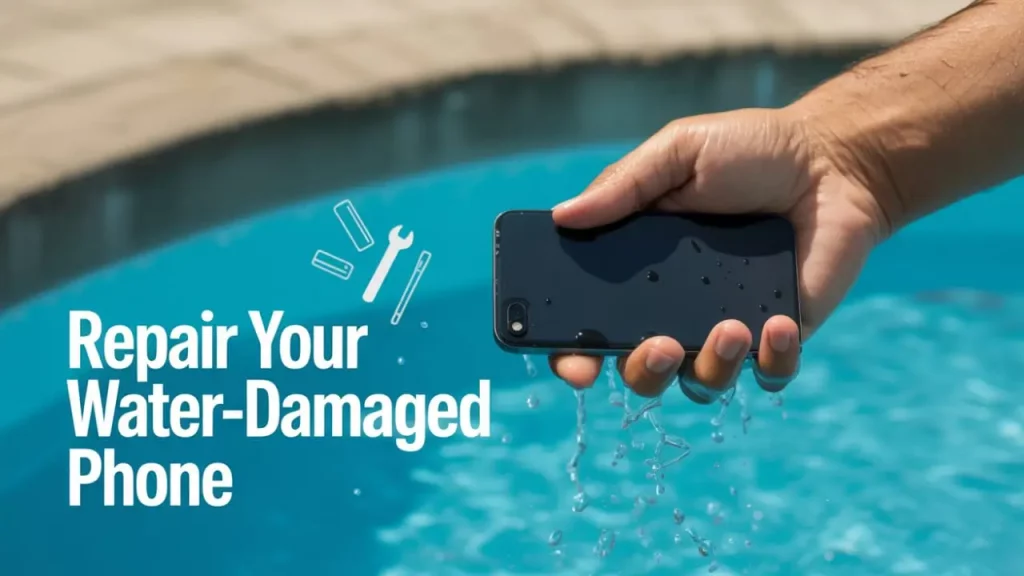
Your phone just got wet. Maybe it slipped into the sink. Maybe it took a swim in the toilet. Maybe your drink tipped over right onto it. Whatever happened, what you do in the next five minutes matters more than anything else.
Water does not kill phones. Electricity running through wet components does. Every second your phone stays on with water inside it, the risk of permanent damage goes up. Here is exactly what to do, what not to do, and when you need professional help.
The First 5 Minutes
These steps give your phone the best chance of surviving. Do them in order, as fast as you can.
1. Get it out of the water immediately. Every extra second in the water makes things worse.
2. Turn it off. If the screen is still on, power it down straight away. Do not unlock it. Do not open any apps. Do not “test” whether it still works. Just turn it off.
3. Remove the case and SIM tray. Take the case off. Pop the SIM tray out using the ejector pin (or a paperclip). This opens up a small gap for moisture to escape.
4. Wipe off all visible water. Use a clean, dry cloth or kitchen towel. Wipe the outside thoroughly. Pay extra attention to the charging port, speaker grilles, and any other openings.
5. Tilt it to drain. Hold the phone with the charging port facing down. Gently tilt it to let water drain out through the port and speaker holes. Do not shake it. Shaking pushes water deeper into the phone.
6. Do NOT plug it in or charge it. Charging a wet phone can cause a short circuit and permanently destroy internal components. Do not charge it until you are certain it is completely dry inside.
What NOT to Do (Seriously)
The internet is full of “fixes” that make water damage worse. Here is what to avoid.
Do not put your phone in rice. This is the most common advice online, and it does not work. Apple officially told people to stop doing this in 2024. Rice does not draw moisture out of a sealed phone. It sits on the outside doing nothing, while starch and dust from the rice can clog your charging port and speaker grilles. In some cases, rice makes the damage worse.
Do not use a hair dryer. Heat can warp internal components, melt adhesives, and push moisture further into the phone. The inside of a phone is not designed to handle direct heat.
Do not put it in the oven, on a radiator, or in direct sunlight. Same problem as the hair dryer. Excessive heat damages batteries, screens, and circuit boards.
Do not shake the phone. This pushes water into areas it has not reached yet. A gentle tilt is fine. Shaking is not.
Do not try to charge it “to see if it works.” This is the single most common way people turn minor water damage into a dead phone. If there is any moisture on the logic board and you send power through it, you risk a short circuit that fries the board permanently.
What Actually Works
After you have done the first five steps, here is what gives your phone the best chance.
Silica gel packets If you have silica gel packets (the small packets that come inside shoe boxes, handbags, and electronics packaging), put your phone in a sealed bag or container with as many packets as you can find. Silica gel actually absorbs moisture from the air around it, unlike rice. Leave it for 24 to 48 hours.
Airflow Place your phone in a dry, well ventilated room with the charging port facing down. A gentle fan nearby can help. The goal is to let the moisture evaporate naturally over time. Do not use heat, just airflow.
Wait The hardest part. Leave the phone off for at least 24 hours, ideally 48. The longer you wait before turning it back on, the better. Turning it on too early while there is still moisture inside is what causes the most damage.
What Water Actually Does to Your Phone
Understanding what is happening inside helps you make better decisions about repair.
When water gets into a phone, it reaches the logic board, which is the main circuit board that runs everything. If the phone is powered on, the water creates unintended connections between components. This is a short circuit, and it can burn out chips, connectors, and traces on the board.
Even after the water dries, it leaves behind minerals and residue. Over time, this causes corrosion. Corrosion eats away at metal contacts and solder joints, and it can cause problems days or weeks after the phone seemed to be working fine. This is why some phones appear to survive water damage initially but then develop faults later.
Saltwater, chlorinated pool water, and sugary drinks (coffee, juice, beer) are all worse than clean tap water because they leave more residue behind and cause corrosion faster.
Signs of Water Damage
Not sure if your phone actually has water damage? Here is what to look for.
Your phone will not turn on at all. The most obvious sign. The logic board or battery may have shorted.
The screen has lines, spots, or discolouration. Water behind the display causes visible marks that do not go away.
The speakers sound muffled or distorted. Water in the speaker grilles affects sound quality, sometimes permanently.
The phone keeps restarting on its own. Short circuits can cause random reboots and crashes.
The charging port does not work properly. Corrosion in the port can stop your phone from charging or connecting to a computer.
The camera is foggy. Moisture trapped behind the camera lens causes blurry or hazy photos.
The Liquid Damage Indicator (LDI) has turned red. Most phones have a small sticker inside the SIM tray slot. It is normally white or silver. If it has turned red or pink, water has reached the inside of your phone.
Can a Water Damaged Phone Be Fixed?
Honestly, it depends. Water damage is unpredictable. Two identical phones can go through the same amount of water exposure and have completely different outcomes.
Here is a rough guide to your chances.
| Situation | Chance of Repair |
|---|---|
| Brief splash, phone turned off quickly | High |
| Dropped in water for a few seconds, turned off immediately | Good |
| Submerged for under a minute, left on | Moderate |
| Submerged for several minutes | Low |
| Submerged in saltwater, pool water, or sugary liquid | Low |
| Phone was charging when it got wet | Very low |
| Phone left wet and powered on for hours | Very low |
A professional repair shop can open the phone, clean the logic board with specialist solutions, remove corrosion, and replace any damaged components. This does not guarantee the phone will work, but it gives it the best possible chance.
At Phone Clinic, we charge £10 for a diagnostic. We open the phone, assess the water damage, and tell you honestly whether a repair is possible and what it will cost. If we cannot fix it, you do not pay for the repair. That is our no fix, no fee policy.
What Does a Professional Water Damage Repair Involve?
When you bring a water damaged phone to a repair shop, here is what a proper repair looks like.
Step 1: Disassembly. The phone is taken apart carefully to expose the logic board and all internal components.
Step 2: Ultrasonic cleaning. The logic board is cleaned in an ultrasonic bath with a specialist cleaning solution. This removes corrosion, minerals, and residue that water leaves behind.
Step 3: Inspection. The technician inspects the board under a microscope to check for burned components, broken traces, or damaged connectors.
Step 4: Component replacement. Any damaged components are replaced. This could be a charging IC, a capacitor, or a connector.
Step 5: Testing. The phone is reassembled and tested thoroughly. Charging, touchscreen, cameras, speakers, microphone, and all sensors are checked.
Not every water damaged phone can be saved. But a professional repair gives it the best chance, far better than rice, silica gel, or waiting and hoping.
How Much Does Water Damage Repair Cost?
It depends on what is damaged. A simple cleaning and dry out might cost £30 to £60. If components on the logic board need replacing, it can go up to £100 to £200 or more.
| Repair Type | Typical Cost |
|---|---|
| Diagnostic | £10 |
| Board cleaning and dry out only | £30 to £60 |
| Board cleaning + minor component replacement | £60 to £120 |
| Board cleaning + major component replacement | £120 to £200+ |
| Board beyond repair (data recovery only) | £50 to £100 |
In some cases, the cost of repair approaches or exceeds the value of the phone. If that happens, we will tell you. It is then your choice whether to go ahead or put the money toward a replacement.
When to Replace Instead of Repair
Water damage repair is not always worth it. Here is when replacing your phone makes more sense.
Your phone is more than 4 years old and was already slowing down. The repair estimate is more than half the current value of the phone. The phone was submerged in saltwater or a sugary liquid for an extended period. You need the phone back urgently and cannot wait for a repair attempt.
If your phone is less than 2 years old and the repair cost is reasonable, repairing is almost always worth trying first.
How to Protect Your Phone From Water Damage
Use a waterproof case if you are near water regularly. Beach trips, pool days, kayaking, and even cooking in the kitchen are all common water damage scenarios.
Know your phone’s IP rating. Most modern flagships are rated IP68, which means they can handle submersion in fresh water for up to 30 minutes. But IP ratings degrade over time. A 2 year old phone is not as water resistant as the day you bought it.
Do not take your phone into the bathroom. Steam from showers causes condensation inside the phone over time. This is a slow form of water damage that many people do not realise is happening.
Remove your phone before doing the washing. Checking pockets before loading the washing machine saves more phones than any waterproof case ever will.
Frequently Asked Questions
Can a water damaged phone be repaired?
In many cases, yes. A professional repair shop can clean the logic board, remove corrosion, and replace damaged components. Success depends on how long the phone was in water, whether it was powered on, and how quickly you acted.
Does putting a wet phone in rice work?
No. Apple officially advised against this in 2024. Rice does not draw moisture out of a sealed phone. It can clog ports and speakers with starch and dust. Use silica gel packets instead, or take it straight to a repair shop.
How long should I wait before turning on a wet phone?
At least 24 hours, ideally 48. Turning it on too early while there is still moisture inside is the most common cause of permanent water damage.
How much does water damage repair cost in the UK?
Diagnostics start at £10. A basic board clean costs £30 to £60. More complex repairs with component replacement can cost £100 to £200+. If the phone cannot be fixed, you do not pay for the repair.
Is water damage covered by warranty?
No. Neither Apple nor Samsung cover water damage under their standard warranty, even on phones with an IP68 rating. If you have phone insurance or AppleCare+ with accidental damage cover, it may be covered for an excess fee.
My phone fell in the toilet. Can it be saved?
Possibly. Toilet water is not much worse than tap water in terms of damage. The key is how quickly you got it out and turned it off. Bring it to a repair shop as soon as you can for the best chance.
How do I check if my phone has water damage?
Remove the SIM tray and look for the Liquid Damage Indicator (LDI). It is a small sticker that turns red or pink when exposed to water. On most iPhones and Samsung phones, it is visible inside the SIM slot.