
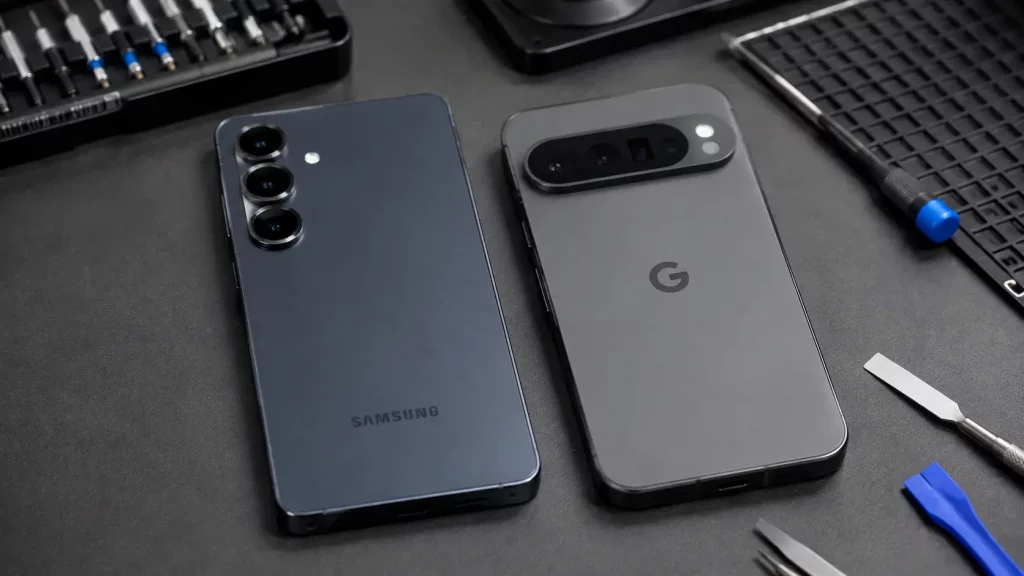
The Samsung Galaxy S25 and Google Pixel 10 are two of the most popular Android phones sold in the UK over the past year. Both are excellent devices. Both also have recurring issues that keep showing up in our stores and across online forums.
Some of these faults are software problems that you can sort out at home. Others are hardware issues that need a proper repair. Knowing which is which saves you time and money.
This guide covers the most common faults we see on both phones, what causes them, and whether you need to bring the device in or try a fix yourself first.
Samsung Galaxy S25 Battery Drain
This is the single most reported Galaxy S25 problem. Users notice the battery dropping faster than expected, sometimes barely lasting a full day under normal use.
There are two possible causes, and they need different solutions.
Software related drain: Samsung’s security updates have repeatedly introduced battery issues on the S25 and S25 Ultra. The April 2026 and July 2026 updates both caused widespread reports of rapid drain and overheating. If your battery problems started shortly after an update, the cause is almost certainly software.
What to try: go to Settings, then Battery and Device Care, then Battery. Check which apps are using the most power. If system services like Google Play Services or Samsung system processes are at the top, clearing the cache for those apps and restarting the phone often helps. Switching off High Performance Mode and reducing the screen to adaptive refresh rate (rather than forcing 120Hz constantly) can also make a noticeable difference.
If a software update caused the problem, a follow up patch usually fixes it within a few weeks.
Hardware related drain: If your S25 has been in use for 12 months or more and the battery life has gradually declined rather than suddenly dropping after an update, the battery itself may be degrading. Lithium ion batteries lose capacity over time with regular charge cycles. This is normal wear, but once the phone struggles to make it through a day, a battery replacement resolves it.
At Phone Clinic, a Samsung battery replacement comes with a 6 month warranty and is usually done the same day.
Samsung Galaxy S25 Overheating
The S25 runs on Qualcomm’s Snapdragon 8 Elite processor. It is fast, but it generates more heat than previous chips. Samsung added a larger vapour chamber to manage the temperature, but under heavy use, the phone still gets noticeably warm.
Some warmth during gaming, video recording, or fast charging is normal. If the phone gets too hot to hold comfortably, shuts down on its own, or displays a temperature warning, that is not normal.
When it is software: Heavy background processes, especially after a system update, can push the processor harder than it should be running. Force stopping apps you are not using and restarting the phone can bring the temperature down. Avoid charging the phone while running intensive apps.
When it is hardware: If the overheating persists regardless of what you are doing, the thermal management system may have an issue, or the battery may be swelling. A swollen battery is a safety concern and needs replacing promptly. If your S25 feels unusually thick or the back panel seems to be lifting slightly, bring it in immediately.
Temperature changes matter too. Walking from freezing outdoor air straight into a warm room and then plugging the phone into a fast charger can cause condensation inside the device. If your Samsung shows a “moisture detected” warning on the charging port, do not ignore it. Let the phone sit at room temperature for an hour before charging. If the warning persists, the port sensor may need attention.
We covered how cold weather affects phone batteries in more detail in our cold weather battery guide.
Samsung Galaxy S25 Screen Flickering and Ghost Touch
Some S25 owners report the screen flickering at low brightness, scrolling lag, or “ghost touches” where the phone registers taps that nobody made.
Ghost touch on the S25 is often caused by a screen protector interfering with the ultrasonic fingerprint sensor. The sensor sits under the display and is sensitive to pressure from thick or poorly fitted tempered glass protectors.
The quickest test: remove the screen protector entirely. If the ghost touches stop, the protector was the problem. Replace it with a thinner protector designed for the S25’s fingerprint sensor.
If the flickering or ghost touch continues without a protector, the digitiser layer in the display may be faulty. This requires a screen replacement. Our screen repair cost guide covers Samsung pricing by model.
Google Pixel 10 Display Glitches
The Pixel 10 has a display issue that has frustrated owners since launch. Users report brief flashes of “colourful snow,” which looks like rainbow static flickering across part of the screen. The phone still works normally, and the glitch usually disappears on its own, but it keeps coming back.
Google released a patch in late 2025 that was supposed to fix it, but reports on support forums as recently as mid 2026 show it has not been fully resolved for everyone.
If you see it occasionally and briefly, this is likely a display driver bug. Make sure your phone is running the latest system update and restart it. For most users, the frequency decreases with each software update.
If it happens constantly or gets worse, the display panel itself may have a fault. Persistent visual artefacts that do not improve with software updates point to a hardware problem. In that case, the screen needs replacing.
Google Pixel 10 Battery Issues
The Pixel 10 runs on Google’s Tensor G5 chip, which handles AI tasks efficiently but can be power hungry during heavy processing. Battery drain complaints follow a similar pattern to the S25: sudden drops after system updates, and gradual decline after months of use.
The April 2026 Pixel update caused battery and overheating problems across Pixel 6 through Pixel 10 devices. If your drain started after that update, it is a software issue. Clearing cache for Google Play Services and restarting the phone is the first step.
If the drain has been getting worse over several months regardless of updates, the battery is likely losing capacity from normal use. A replacement battery solves it.
The Pixel 10 also has a specific wireless charging quirk. The charging coil sits slightly higher than on previous Pixel models, so older wireless charging pads sometimes fail to connect properly. If your Pixel 10 shows the charging indicator but charges very slowly or not at all, try repositioning the phone so the camera bar sits just above the top edge of the pad. A case thicker than 3mm can also block the connection.
Charging Port Problems on Both Phones
Both the Galaxy S25 and Pixel 10 use USB C ports designed for fast charging. The deeper port design on both phones means pocket lint compacts at the bottom over time, stopping the cable from clicking in properly.
If your cable feels loose, will not stay in, or only charges at a certain angle, the first thing to try is cleaning the port. Use a wooden toothpick or plastic dental pick to gently remove any compacted lint from the bottom of the port. Never use a metal tool. Metal can short the pins inside the port and turn a free cleaning job into a paid repair.
If the cable still will not seat properly after cleaning, the port itself may need replacing. Cracked solder joints inside the port are a common issue on the Pixel 10 in particular. This is a straightforward repair at any of our 14 UK stores.
When to Try a Fix at Home and When to Come In
Not every fault needs a repair. Here is a simple way to decide.
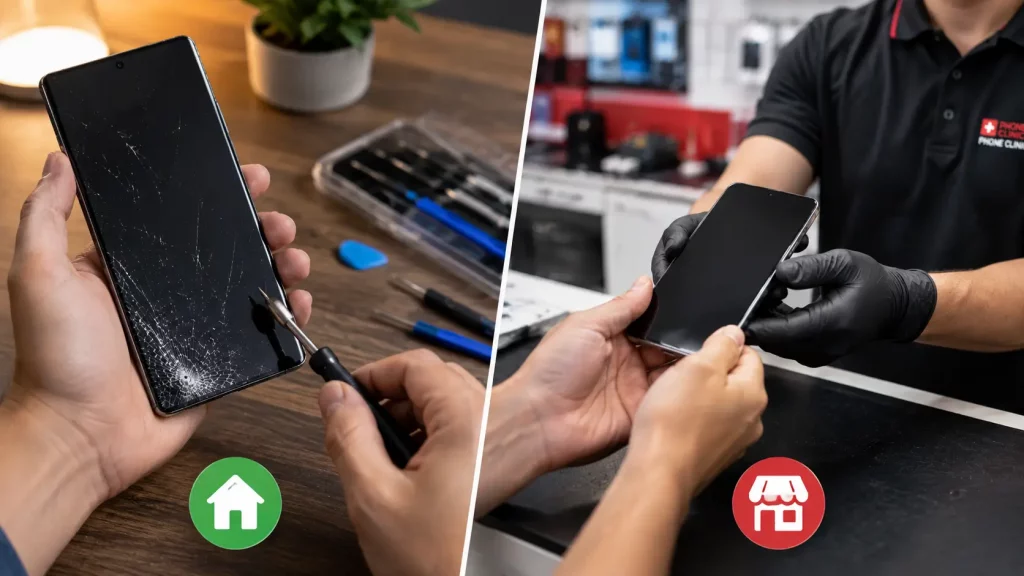
Try a software fix first if: The problem started right after a system update. The phone has no physical damage. The issue is intermittent rather than constant. Restarting the phone temporarily improves things.
Bring it in for a repair if: The phone overheats even when idle. The battery will not last more than a few hours despite software troubleshooting. The screen has visible damage, persistent flickering, or unresponsive areas. The charging port does not hold a cable after cleaning. The back panel feels raised or the phone feels thicker than it used to.
At Phone Clinic, we can run a diagnostic and tell you whether the issue is software or hardware before any work starts. If it turns out to be something you can fix at home, we will tell you that honestly. Our no fix, no fee policy means you only pay when we actually carry out a repair.
Getting Your S25 or Pixel 10 Repaired at Phone Clinic
We repair both Samsung Galaxy and Google Pixel devices across all 14 of our UK stores. Screen replacements, battery swaps, charging port repairs, and camera module replacements are all services we handle regularly.
Most phone repairs are completed the same day, often within an hour. Your data stays on the phone throughout. Every repair comes with a warranty, which is 6 months for Samsung and Google screens and batteries.
If something is not right with your S25 or Pixel 10 and you have already tried the software fixes above, bring it in or send it to us using our mail in service. We will give you a straight answer about what is wrong and what it will cost to fix.
Frequently Asked Questions
Why does my Samsung S25 battery drain so fast after an update?
Samsung’s security updates have repeatedly caused battery drain issues on the Galaxy S25. The April 2026 and July 2026 updates are the most widely reported. The cause is usually background system processes running harder than they should. Clearing the cache for Google Play Services and system apps, restarting the phone, and switching off High Performance Mode usually helps. If a patch caused it, a follow up update typically resolves it within a few weeks.
What causes the rainbow static glitch on the Pixel 10 screen?
The “colourful snow” display glitch on the Pixel 10 is caused by a display driver issue that has been present since the phone launched in 2025. Google has released patches, but some users still experience occasional flickers. If it happens briefly and rarely, keeping the phone updated is the best approach. If it is constant or getting worse, the display panel may need replacing.
Is it normal for the Samsung S25 to get hot?
Some warmth during gaming, video recording, or fast charging is normal because the Snapdragon 8 Elite processor generates more heat than older chips. If the phone gets too hot to hold, shuts down, or shows a temperature warning during light use, that is not normal and could indicate a software issue or a problem with the thermal management system. Persistent overheating with no improvement after restarting warrants a professional diagnostic.
How do I fix ghost touch on my Galaxy S25?
Ghost touch on the S25 is most often caused by a thick or poorly fitted screen protector interfering with the ultrasonic fingerprint sensor. Remove the protector and test the phone without it. If the ghost touches stop, replace it with a thinner protector designed for the S25. If the issue continues without any protector, the digitiser layer in the screen may be faulty, which would require a screen replacement.
Can Phone Clinic repair Google Pixel 10 phones?
Yes. We repair Google Pixel devices at all 14 of our UK stores, including the Pixel 10, Pixel 10 Pro, and Pixel 10 Pro XL. Screen replacements, battery swaps, charging port repairs, and other common fixes are all available. Most repairs are completed the same day.
Should I go to the manufacturer or an independent shop for a repair?
If your phone is within its manufacturer warranty and has a defect that is not caused by accidental damage, the manufacturer should repair or replace it at no cost. For anything outside warranty, or for damage like cracked screens, worn batteries, and faulty ports, an independent repair shop like Phone Clinic is usually faster and more affordable. We do not wipe your data as standard, and most repairs are done while you wait.